Thirty hours. That's how long it took a single employee at Sparkle Technologies to go from a blank screen to a fully functional, publicly listed Chrome extension — complete with a corporate website, marketing strategy, ad copy, and a landing page that converts.
The product is called ReplyIn. It's an AI-powered Chrome extension that helps LinkedIn professionals generate personalized replies in one click. It parses your full conversation thread, reads your profile for context, matches your tone, and drafts a message right inside LinkedIn's native chat interface. It's live, it's free, and it's growing.
But this article isn't really about ReplyIn. It's about what happens when experienced software engineers stop writing code — and start orchestrating AI to write it for them.
The Idea
Like a lot of good products, ReplyIn started with a personal frustration. I spend a lot of time on LinkedIn — consulting engagements, client relationships, partnerships, recruiting. And I kept doing the same thing: typing out variations of the same five replies, fifty times a day.
I was burning hours a day just on LinkedIn messages. Not networking. Not closing deals. Just typing.
So I asked a simple question: what if I could build a tool that does this — and does it well enough that no one can tell the difference?
The catch? I didn't want to spend weeks on it. I wanted to test the hypothesis that a single experienced developer, armed with modern AI tools, could ship a polished, production-grade product in a fraction of the time it would have traditionally taken.
I gave myself a constraint: under 30 hours of total work. Not just the Chrome extension — everything. The extension itself, the corporate website, Chrome Web Store submission and approval, Google Analytics setup, marketing strategy, ad copy, landing page optimization, the newsletter, the LinkedIn Company Page, the organic content plan. The entire product lifecycle, from first idea to live-in-production and actively marketing to users. Thirty hours. And one rule that made things even more interesting — I wouldn't write a single line of code by hand.
Why My Background Mattered More Than Ever
Here's the part that might surprise people: using AI to build software doesn't reduce the need for engineering expertise. It amplifies it.
There's a thought floating around that AI coding tools will replace developers. From my experience building ReplyIn, the opposite is true. AI made my engineering background more valuable, not less.
When you prompt an AI to generate code, it gives you something. Sometimes it's great. Sometimes it's subtly wrong in ways that would take a junior developer hours to catch. The difference between shipping a toy project and shipping a production application that real people depend on comes down to whether the person reviewing that output actually understands what they're looking at.
Over the course of my career, I've architected dozens of software systems — distributed backends, cloud infrastructure, data pipelines, frontend applications. That experience didn't disappear because I was using AI. It became the lens through which every AI-generated line of code was evaluated.
I'd never built a Chrome extension before. But I knew what good software architecture looks like. I knew how to structure a codebase for maintainability. I knew which security patterns mattered when handling user data in a browser. I knew when the AI's output was elegant and when it was cleverly wrong. The domain was new — the engineering principles were not.
I didn't write the code. But I absolutely engineered the product.
Claude Code: The Engine Behind Everything
My primary tool was Claude Code — Anthropic's command-line agent for developers. And it was the backbone of the entire build.
I used Claude Code for everything:
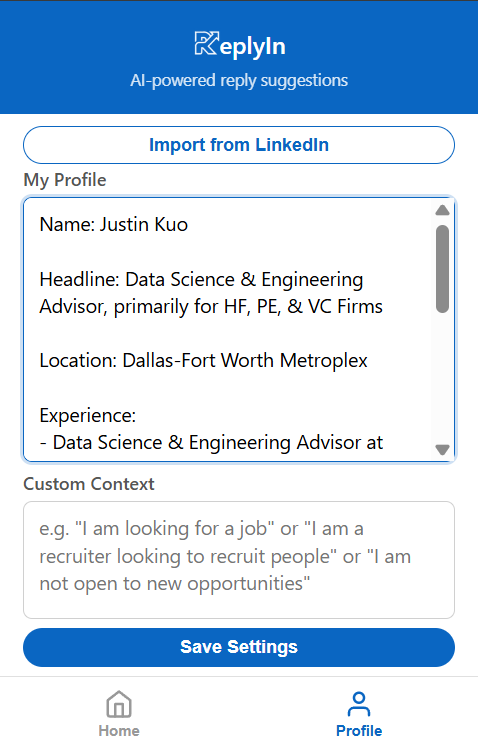
The Chrome Extension itself. The core product — manifest files, content scripts, background workers, the UI that embeds directly into LinkedIn's messaging interface, the API integration layer for generating replies, the settings panel, the tone and length selection logic, the conversation parsing engine. All of it was generated through Claude Code. I described what I wanted architecturally, reviewed the output, gave feedback, iterated, and moved forward. The AI wrote the code. I made the engineering decisions.
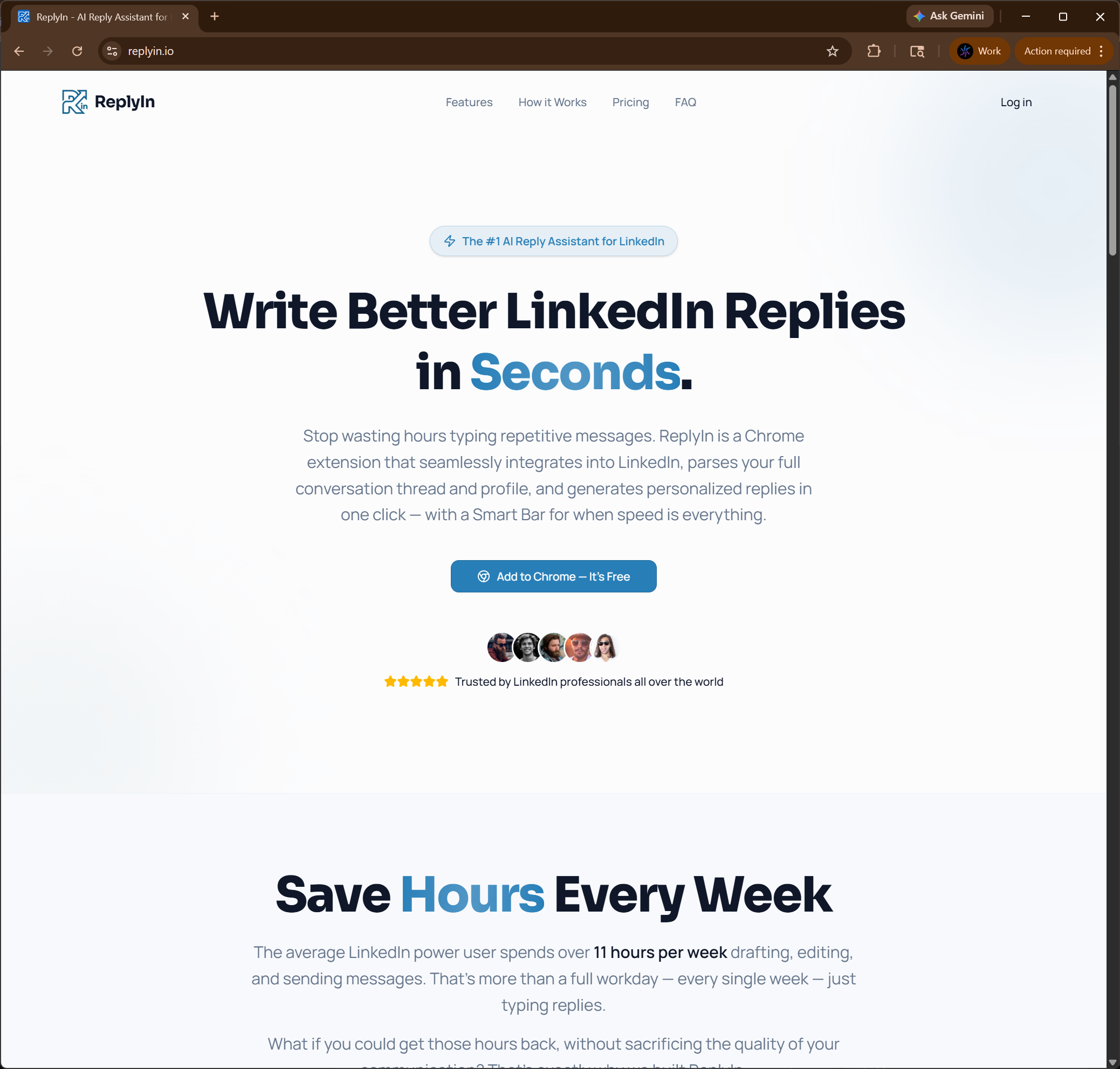
The corporate website. The replyin.io landing page was built the same way. I described the sections I wanted — hero, features breakdown, social proof, the step-by-step walkthrough, the feature grid — and Claude Code generated the entire site. I directed the design language, the copy tone, and the layout hierarchy. The AI executed.
Marketing and go-to-market. This is where things got interesting. I used AI not just for building, but for thinking. I brainstormed positioning, defined target audience segments (recruiters, sales professionals, founders, consultants), drafted LinkedIn ad copy, wrote organic post content, created a newsletter, developed the Company Page overview, and mapped out a full LinkedIn advertising strategy — including Message Ads, Sponsored Content, and Thought Leader Ads. AI was my strategist and my copywriter.
Ideation and product decisions. I used AI to test the concept from the start. What features matter? What tone options should I offer? How should conversation parsing work? And unlike traditional development, where exploring an idea means committing hours to implementation, I could have AI build a feature in minutes, test it live, and decide on the spot whether to keep it or throw it away. That feedback loop — ideate, implement, evaluate, decide — used to take days. With AI, it took minutes.
I brought the architectural thinking, the product judgment, and the quality bar. AI brought the velocity.
The Audit: Trust but Verify
Let's be clear about something — I didn't blindly ship AI-generated code.
Every piece of output went through a rigorous review process. The same review process I'd apply to code written by any developer on any project. I read it. I understood it. I questioned it. I tested it.
This is where years of software architecture experience became non-negotiable — even in an unfamiliar domain. I'd never built Chrome extensions before, but I could look at the generated code and assess whether it was sound. I could test the code and understand where it was failing to handle edge cases. I could audit the data flow and confirm that user information was being handled responsibly. The specific technology was new. The ability to evaluate software quality was not.
The code that shipped in ReplyIn is code I am fully confident in. Not because I typed it keystroke by keystroke, but because I understood every line, validated every decision, and stress-tested every interaction. The authorship was AI. The engineering accountability was mine.
What I Learned
Building ReplyIn in under 30 hours taught us a few things worth sharing.
AI doesn't replace expertise — it multiplies it. The reason I could move this fast wasn't because AI is magic. It's because I knew exactly what to ask for, how to evaluate what I got back, and when to push for something better. A less experienced developer using the same tools would not have shipped the same quality of product in the same timeframe. The AI is the engine, but engineering judgment is the steering wheel.
The bottleneck has shifted. It used to be implementation. Now it's decision-making. When code generation takes minutes instead of hours, the hard part isn't writing the feature — it's deciding whether the feature should exist at all, how it should behave, and what the second-order consequences are. Product thinking and architectural thinking are now the rate-limiting factors, not typing speed.
End-to-end AI usage is the real unlock. Using AI just for code generation is leaving most of the value on the table. I used it for product ideation, UX decisions, website copy, marketing strategy, ad creative, email campaigns, and competitive analysis. The compounding effect of applying AI across every phase of the product lifecycle — not just development — is what made the 30-hour timeline possible.
Code review is more important than ever. When a human writes code, there's an implicit understanding baked into every line — the developer knows why they made each choice. When AI writes code, that implicit understanding doesn't exist unless someone actively reconstructs it through review. Skipping code review on AI-generated output is far more dangerous than skipping it on human-written code. I treated review as the single most critical phase of the process.
The quality bar doesn't drop. This is the most important point. ReplyIn is not a prototype. It's not a demo. It's a production application used by real professionals for real communication. The fact that AI generated the code doesn't make it a second-class product. With the right team reviewing and directing, AI-generated software can meet — and exceed — the quality of traditionally developed software.
What ReplyIn Does
For those unfamiliar with the product: ReplyIn is a free Chrome extension for LinkedIn professionals.
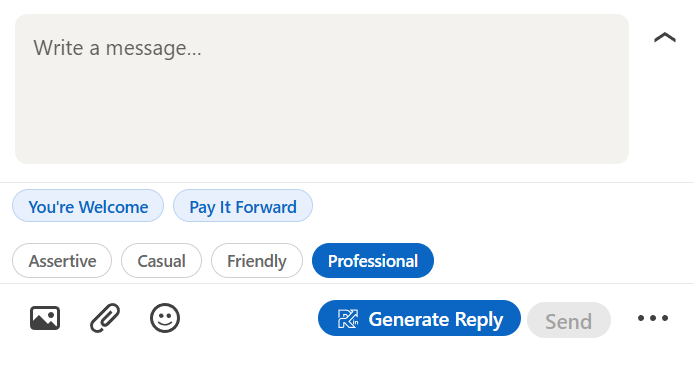
It embeds directly into LinkedIn's messaging interface — right where you type. When you open a conversation, ReplyIn reads the entire message thread and your LinkedIn profile, then lets you generate a personalized reply in one click.
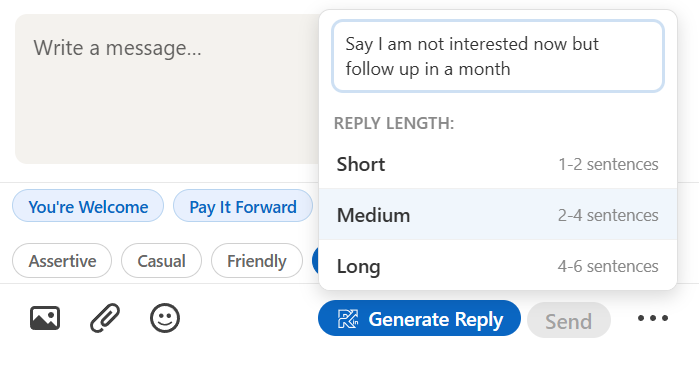
You choose your intent — Interested, Not Right Now, Refer Someone. You pick a tone — Professional, Casual, Friendly, or Assertive. You set a length. You hit "Generate Reply." The message appears in the text box, ready to review, edit, and send.
It includes a Smart Bar for instant replies, full conversation parsing for context-aware responses, custom instructions for specific situations, and complete length and tone control. The whole point is that it feels like a feature LinkedIn should have built — native, fast, and invisible until you need it.
If you're a recruiter managing hundreds of candidate conversations, a salesperson running outbound campaigns, a founder fielding inbound interest, or a consultant maintaining a large network — ReplyIn was built for you. Check it out at replyin.io.